VCarve Pro Vectric CAM Software (Lifetime License)

Reset Selection
Customise
There are no customisation options for this product.
Create A Bundle

There are no bundled options for this product.

QuantityUnit PriceDiscount
Selected price:1+£648.000%

£648.00 (Inc VAT)

In Stock
Delivery
Next Day
Click & Collect
Not Available
Returns
Not Available
Delivery Note:

Sent via email

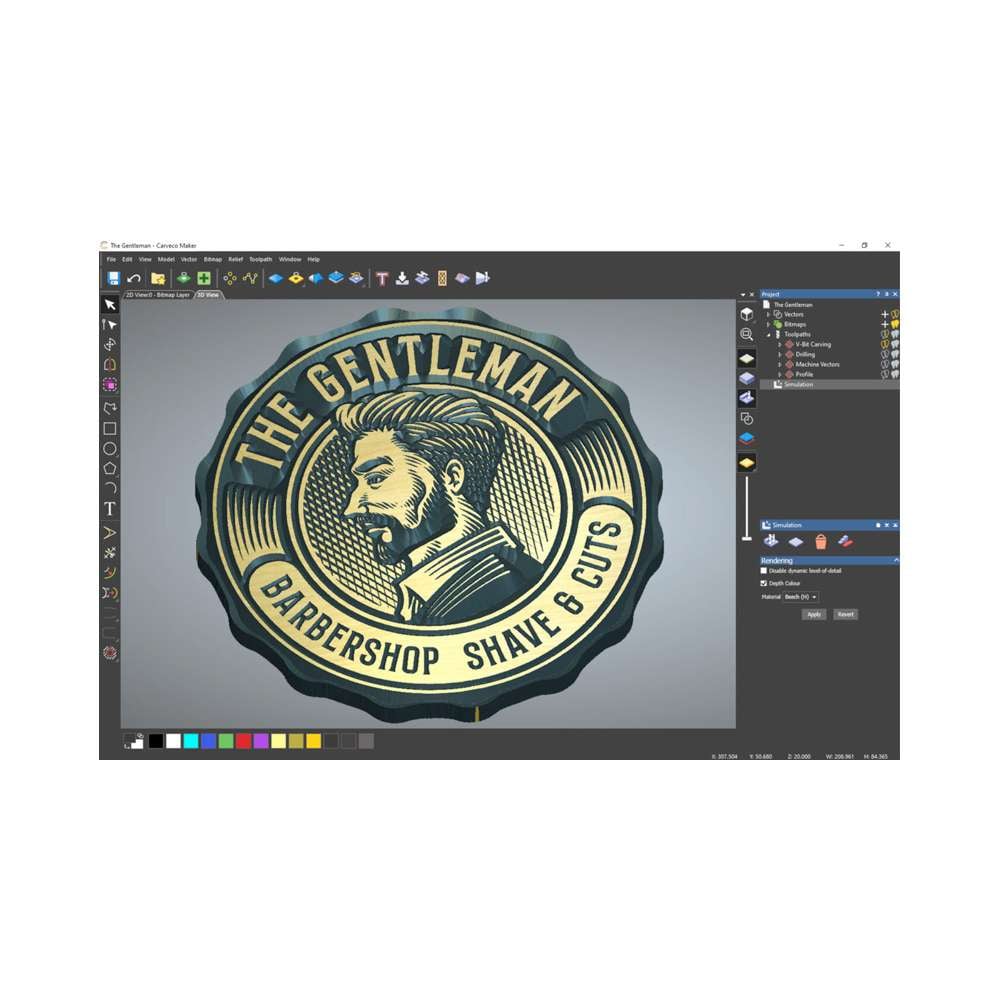
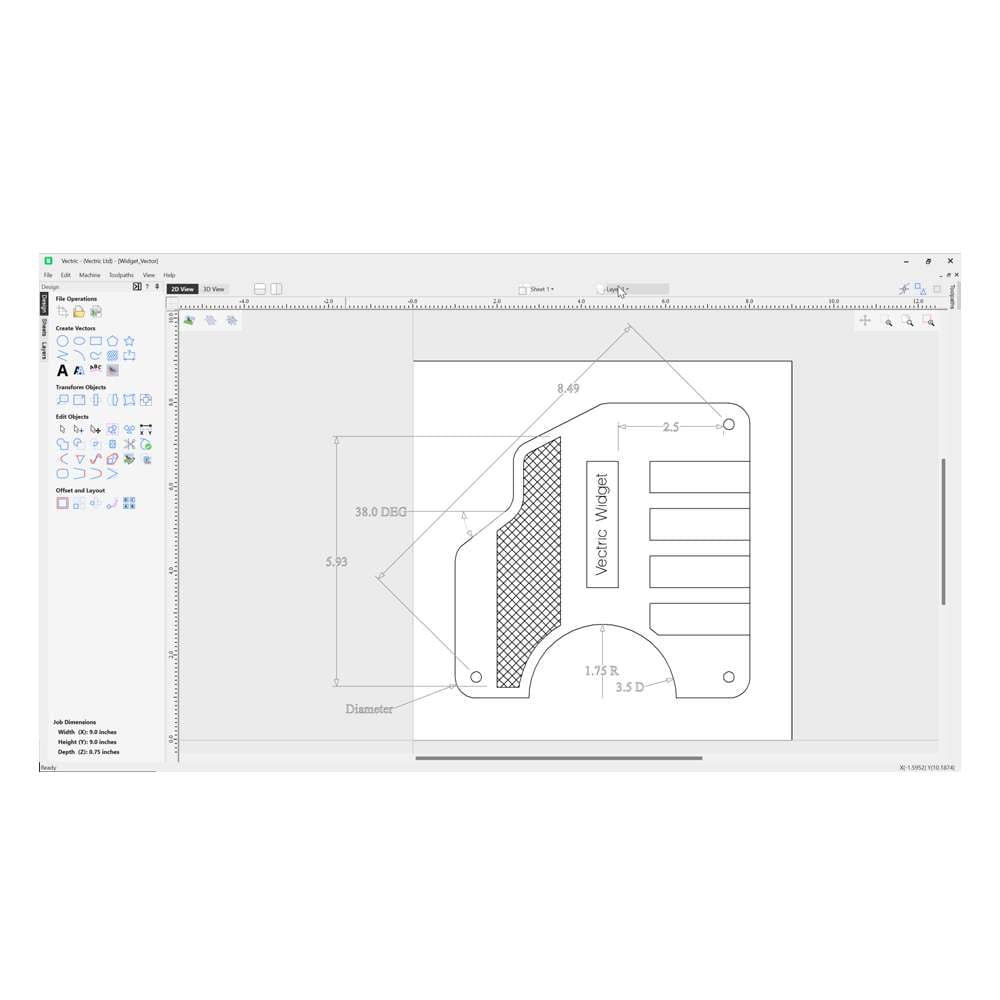
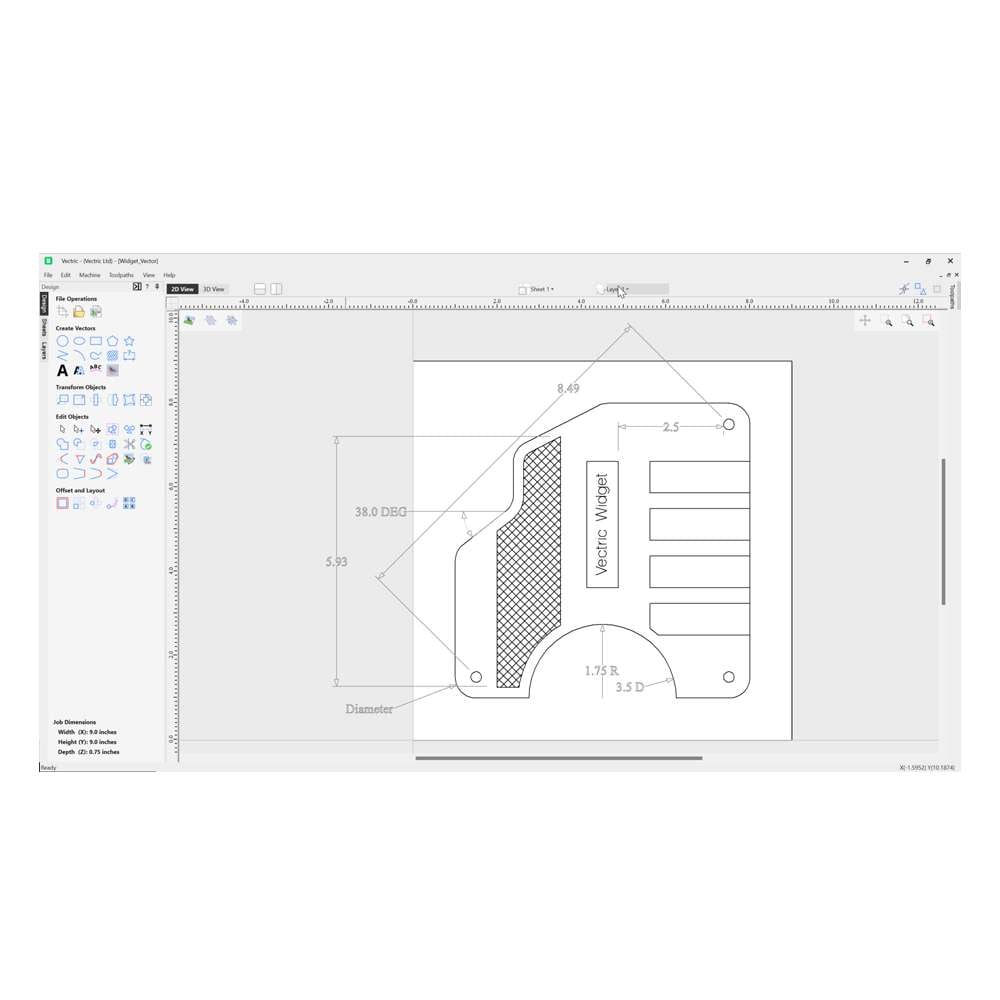
VCarve Pro Vectric CAM Software is a comprehensive and intuitive software solution designed for CNC routing and engraving. It enables users to create intricate 2D and 2.5D designs, including v-carving, chamfering, fluting, prism, and moulding toolpaths. Additionally, VCarve Pro supports the import and machining of 3D models, making it a versatile tool for both hobbyists and professionals. The software offers a user-friendly interface, facilitating efficient design and production workflows.

Key Features

  • 2D Import & Editing: Import designs from various formats (DXF, DWG, EPS, AI, PDF, SVG) and utilise a full suite of drawing and editing tools to create or modify vectors.
  • 2D & 2.5D Toolpath Options: Access a range of toolpath strategies for profiling, pocketing, inlays, drilling, thread milling, v-carving, chamfering, fluting, prism carving, and moulding.
  • 3D Model Import: Import multiple Vectric 3D models or a single third-party model (formats like STL, OBJ) and assemble them within your design.
  • 3D Roughing & Finishing: Generate roughing and finishing toolpaths for 3D models, with options to project 2D and 2.5D toolpaths onto 3D surfaces.
  • Instant Preview Updates: Visualise toolpaths in real-time to assess the final output before actual machining, allowing for immediate adjustments and optimisations.
  • True Shape Nesting: Optimize material usage by efficiently nesting parts based on their true shape, reducing waste and production costs.
  • Toolpath Templates: Save and reuse toolpath settings for recurring designs, streamlining the production process and ensuring consistency.
  • Gadgets: Enhance functionality with customisable gadgets that automate repetitive tasks and introduce new capabilities tailored to specific needs.
  • Job Setup Sheets: Automatically generate detailed setup sheets outlining material specifications, tooling, and machining operations for each job.
  • Keep-out Zones: Define areas to avoid during machining, protecting fixtures and clamps by restricting tool movements within specified regions.

For a full comparison between between Cut2D, VCarve and Aspire please visit the Vectric website: https://www.vectric.com/compare/

Application

VCarve Pro is ideal for a wide range of applications, including sign making, furniture design, decorative panels, and intricate inlays. Its robust features cater to both small business production environments and individual hobbyists seeking precision and efficiency in their CNC projects. The software’s versatility allows users to handle complex designs with ease, making it a valuable asset in various industries.

Desktop vs Pro

Feature Desktop Pro
Work area 24″ x 24″ Unlimited
True shape nesting No Yes
Merging toolpaths No Yes
Toolpath templates No Yes
Gadgets No Yes
Job Setup Sheets No Yes
Keep-out Zones No Yes
VCarve Inlays No Yes
Array copy toolpath No Yes
VCarve Pro Vectric CAM Software (Lifetime License) x1

Delivery

  • Software Delivery: Software will be sent via a registration email. Once registered, it can be downloaded from Vectric’s website.
  • Same Day Email Dispatch: Software orders placed before 13:00 the registration email is sent same day. After this, they are emailed the next working day.
  • Working Days Only: The software registration email is sent out on working days only.
  • Combined Orders: If the software is purchased alongside physical items, the software registration email will only be sent once the physical items have been despatched.

Returns

  • Non-Returnable: Once the software registration email has been sent, it is non-returnable and non-refundable

For more details, visit Returns

4.6
15 reviews
5 Stars
12
4 Stars
2
3 Stars
0
2 Stars
1
1 Stars
0
  1. Buglet

    good – worth paying the extra for coverage in the larger machine. See my overall review of the machine.

    2 years ago
  2. roy cruse

    Compared to equally as complex slicing software in the 3d printing world (which is basically free). This extremely expensive software looks dated and is clunky. It doesn’t take advantage of my expensive 3d graphics card and high spec pc and runs like a pig

    The included clipart is limited and its a complete rip off that £500 only gets you a mid tier version.

    4 years ago
  3. Mr Peter Phillips

    As a beginner, I’m going through a fairly steep learning curve. But, I’ve been able to figure out how to do the more basic things with it. It could do with a glossary of what all the settings are and how to use them. It seems like a powerful bit of software and I’m looking forward to getting to grips with it.

    5 years ago
Description

VCarve Pro Vectric CAM Software is a comprehensive and intuitive software solution designed for CNC routing and engraving. It enables users to create intricate 2D and 2.5D designs, including v-carving, chamfering, fluting, prism, and moulding toolpaths. Additionally, VCarve Pro supports the import and machining of 3D models, making it a versatile tool for both hobbyists and professionals. The software offers a user-friendly interface, facilitating efficient design and production workflows.

Key Features

  • 2D Import & Editing: Import designs from various formats (DXF, DWG, EPS, AI, PDF, SVG) and utilise a full suite of drawing and editing tools to create or modify vectors.
  • 2D & 2.5D Toolpath Options: Access a range of toolpath strategies for profiling, pocketing, inlays, drilling, thread milling, v-carving, chamfering, fluting, prism carving, and moulding.
  • 3D Model Import: Import multiple Vectric 3D models or a single third-party model (formats like STL, OBJ) and assemble them within your design.
  • 3D Roughing & Finishing: Generate roughing and finishing toolpaths for 3D models, with options to project 2D and 2.5D toolpaths onto 3D surfaces.
  • Instant Preview Updates: Visualise toolpaths in real-time to assess the final output before actual machining, allowing for immediate adjustments and optimisations.
  • True Shape Nesting: Optimize material usage by efficiently nesting parts based on their true shape, reducing waste and production costs.
  • Toolpath Templates: Save and reuse toolpath settings for recurring designs, streamlining the production process and ensuring consistency.
  • Gadgets: Enhance functionality with customisable gadgets that automate repetitive tasks and introduce new capabilities tailored to specific needs.
  • Job Setup Sheets: Automatically generate detailed setup sheets outlining material specifications, tooling, and machining operations for each job.
  • Keep-out Zones: Define areas to avoid during machining, protecting fixtures and clamps by restricting tool movements within specified regions.

For a full comparison between between Cut2D, VCarve and Aspire please visit the Vectric website: https://www.vectric.com/compare/

Application

VCarve Pro is ideal for a wide range of applications, including sign making, furniture design, decorative panels, and intricate inlays. Its robust features cater to both small business production environments and individual hobbyists seeking precision and efficiency in their CNC projects. The software’s versatility allows users to handle complex designs with ease, making it a valuable asset in various industries.

Desktop vs Pro

Feature Desktop Pro
Work area 24″ x 24″ Unlimited
True shape nesting No Yes
Merging toolpaths No Yes
Toolpath templates No Yes
Gadgets No Yes
Job Setup Sheets No Yes
Keep-out Zones No Yes
VCarve Inlays No Yes
Array copy toolpath No Yes
Delivery & Returns

Delivery

  • Software Delivery: Software will be sent via a registration email. Once registered, it can be downloaded from Vectric’s website.
  • Same Day Email Dispatch: Software orders placed before 13:00 the registration email is sent same day. After this, they are emailed the next working day.
  • Working Days Only: The software registration email is sent out on working days only.
  • Combined Orders: If the software is purchased alongside physical items, the software registration email will only be sent once the physical items have been despatched.

Returns

  • Non-Returnable: Once the software registration email has been sent, it is non-returnable and non-refundable

For more details, visit Returns

Reviews (15)
4.6
15 reviews
5 Stars
12
4 Stars
2
3 Stars
0
2 Stars
1
1 Stars
0
  1. Buglet

    good – worth paying the extra for coverage in the larger machine. See my overall review of the machine.

    2 years ago
  2. roy cruse

    Compared to equally as complex slicing software in the 3d printing world (which is basically free). This extremely expensive software looks dated and is clunky. It doesn’t take advantage of my expensive 3d graphics card and high spec pc and runs like a pig

    The included clipart is limited and its a complete rip off that £500 only gets you a mid tier version.

    4 years ago
  3. Mr Peter Phillips

    As a beginner, I’m going through a fairly steep learning curve. But, I’ve been able to figure out how to do the more basic things with it. It could do with a glossary of what all the settings are and how to use them. It seems like a powerful bit of software and I’m looking forward to getting to grips with it.

    5 years ago